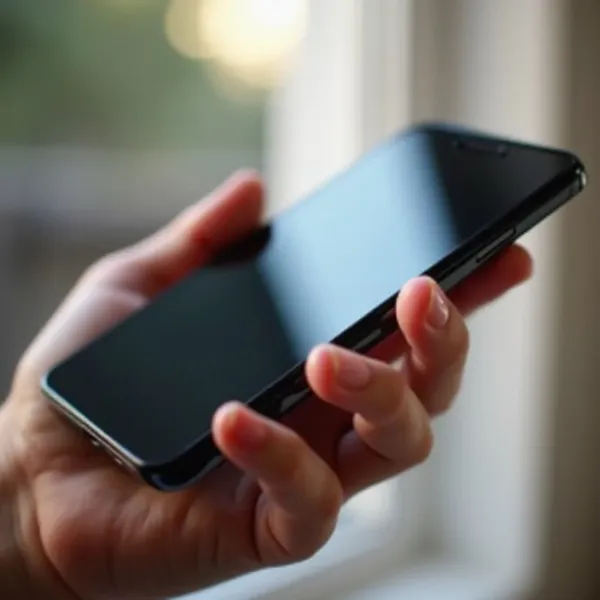
Is your iPhone charging slower than usual or struggling to connect to the charger? It could be time to clean your charging port. Over time, dust, lint, and other debris can build up in the port, affecting the charging connection. The good news is that cleaning your iPhone charging port is a simple task that you can do at home. In this guide, we’ll show you how to clean the port properly without damaging your phone.
Cleaning the charging port regularly helps ensure a stable connection, preventing charging issues and extending the life of your device. Follow the guide below to get your iPhone charging like new again.
Why You Should Clean Your iPhone Charging Port
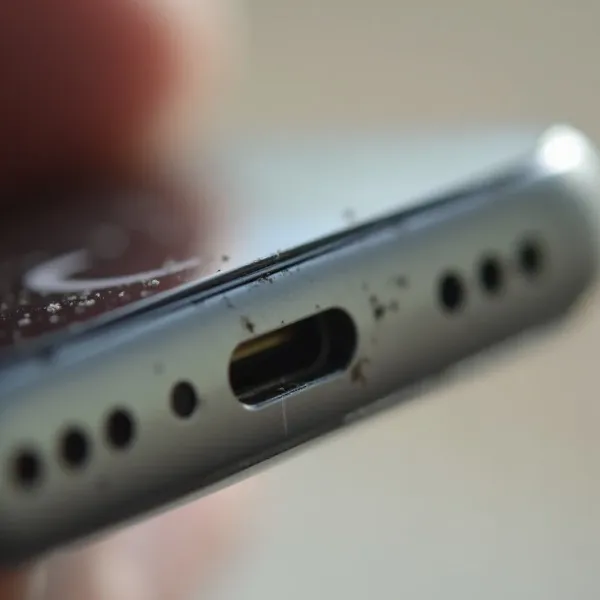
Cleaning your iPhone charging port regularly is key to keeping your device working at its best. When dust, lint, or other debris build up inside the port, they can interfere with your phone’s ability to charge. This can cause slow charging, disconnection issues, or even prevent charging altogether.
A clean charging port ensures that your charging cable fits securely and the connection remains stable. Over time, a clogged port can lead to more serious problems, like damaging the internal components or causing overheating. By cleaning your iPhone charging port, you not only improve charging performance but also reduce the risk of these more costly repairs.
What to Prepare Before Cleaning Your iPhone Charging Port
Turn Off Your iPhone for Safety
Before you start cleaning, it’s important to turn off your iPhone. This ensures you avoid any accidental electrical issues while cleaning the charging port. Turning off your device also helps prevent damage to the internal components, so always power down your iPhone before you begin.
Gather the Necessary Tools
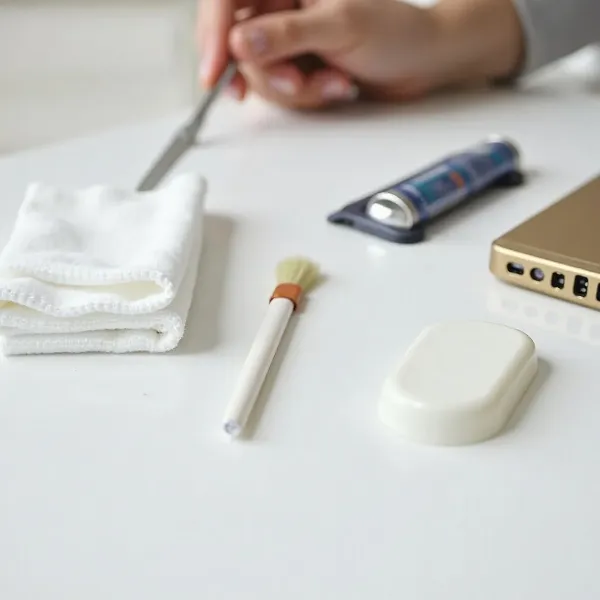
To clean your iPhone charging port effectively, you won’t need many tools, just a few simple items you likely already have at home:
- Compressed air can: This is great for blowing out dust and small debris.
- Wooden or plastic toothpick: Ideal for removing lint without causing damage.
- Soft brush or toothbrush: Use this to gently sweep out finer dirt particles.
- Isopropyl alcohol (optional): This is helpful for deep cleaning, especially if there’s sticky residue inside the port.
Avoid using metal objects, as they can scratch or damage the sensitive components inside the charging port.
How to Clean Your iPhone Charging Port: Instructions
Initial Cleaning with Compressed Air
Start by using compressed air to clear out any loose dust or dirt from your iPhone’s charging port. Here’s how to do it:
- Turn off your iPhone and make sure the charging port is visible.
- Hold the can of compressed air upright and aim the nozzle at the port.
- Give a few short bursts of air into the port, moving the nozzle across the opening.
- Check the port for debris. If anything is left behind, proceed to the next step.
This quick blast of air should clear out any loose particles. If the port still looks clogged, move on to more detailed cleaning.
Removing Lint with a Wooden or Plastic Toothpick
Sometimes, compressed air alone won’t remove all the debris, especially lint. To tackle this, use a toothpick made from wood or plastic:
- Take a wooden or plastic toothpick. Be sure it’s not sharp enough to damage the port.
- Insert the toothpick gently into the port. Avoid pushing it too far, as this could harm the internal components.
- Gently scrape the sides of the port to dislodge lint or dirt.
- Use compressed air to blow out the debris after you’ve loosened it.
The toothpick method works well for removing stubborn lint and dirt. Just be gentle to avoid causing any harm.
Fine Cleaning with a Soft Brush or Toothbrush
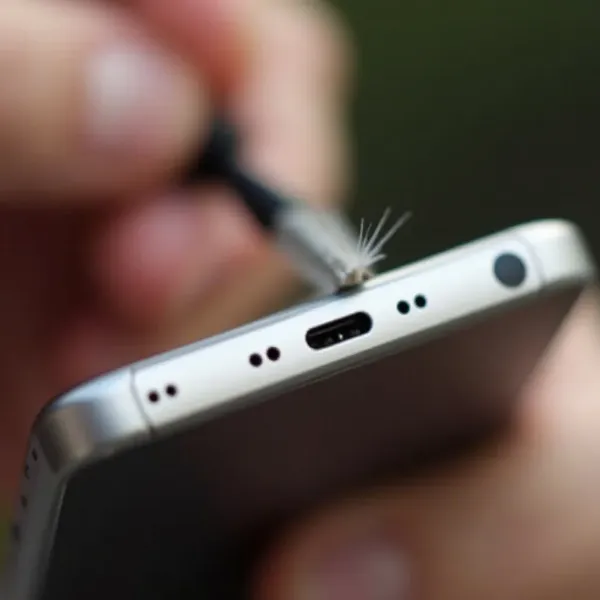
If you want to give your charging port a deeper clean, use a soft brush or an old toothbrush:
- Get a clean, dry toothbrush or a soft-bristled brush.
- Lightly brush the inside of the charging port. Move the brush gently around to loosen any dust or debris that has settled.
- Use small strokes to prevent any pressure on the internal components.
- Blow out the loose debris with compressed air to finish the job.
This method works great for getting rid of finer particles that may be stuck inside the port.
Deep Cleaning with Isopropyl Alcohol (if needed)
For a more thorough clean, especially if the port is dirty or sticky, you can use isopropyl alcohol:
- Dampen a cotton swab with isopropyl alcohol. Make sure it’s not dripping wet—just lightly moist.
- Insert the cotton swab into the port and gently rub it along the edges to clean out any sticky residue.
- Use a brush or toothpick to help remove any remaining dirt or grime.
- Wait for the alcohol to evaporate before turning your phone back on.
Isopropyl alcohol evaporates quickly, making it safe for electronics, but only use it when necessary for deeper cleaning.
More Tips for Cleaning Your iPhone Charging Port Properly
- Be gentle: The charging port is delicate, so avoid using too much force. Gentle movements are key to preventing damage.
- Regular cleaning: A quick cleaning session once a month can help avoid serious buildup and keep your port working smoothly.
- Avoid metal objects: Don’t use anything metal in the port, as it can cause scratches or short-circuit the internal components.
- Don’t overuse alcohol: While alcohol can help with sticky residue, it’s not necessary for regular cleaning. Use it sparingly to prevent wear over time.
- Keep your environment clean: Try to store your phone in a clean, dust-free area. This helps minimize debris from collecting in the charging port.
By following these tips, you’ll help ensure your iPhone charging port stays in top shape for as long as possible.
Conclusion
Cleaning your iPhone charging port is a simple yet important task for keeping your device charging properly. Using tools like compressed air, a plastic toothpick, and a soft brush can help remove dust and debris, ensuring a secure connection. Regular cleaning helps prevent more serious issues and can extend the life of your device. With these easy steps, you can keep your iPhone charging efficiently and avoid costly repairs in the future.