Want to speed up a video on iPhone? You’re in the right place. Speeding up videos can add excitement to your content, fit videos into a shorter time frame, or simply make them more entertaining. Whether you’re a beginner or an experienced editor, there are different apps and tools that make speeding up a video on iPhone quick and easy. Keep reading to learn how to do it using iMovie, Photos, CapCut, InShot, and even online options like Video Candy.

Using iMovie for Precise Control
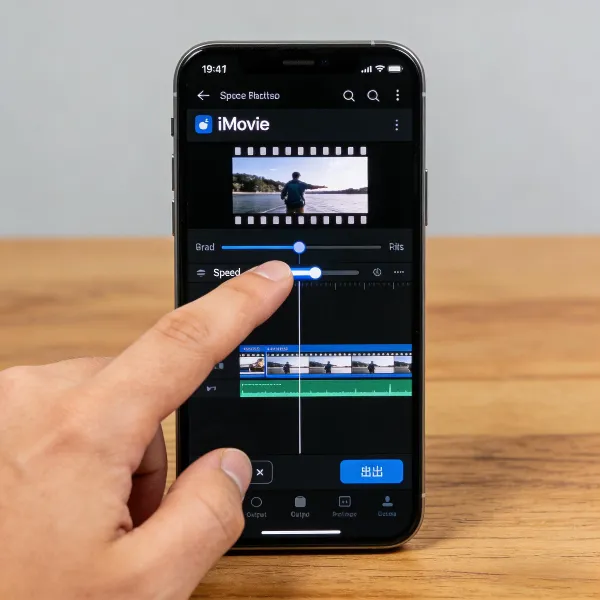
If you want to speed up your video on iPhone with some extra control and precision, iMovie is a great tool. It’s free, and it offers a nice balance between ease of use and professional features. Here's how to use iMovie to speed up a video:
- Open iMovie and tap the + sign to start a new project.
- Select Movie and choose the video you want to edit.
- Tap Create Movie to load your video.
- Tap the timeline and choose the speedometer icon.
- Drag the speed slider to the right to increase the speed. You can speed it up to 2x.
- Once you’re happy with the speed, tap Done.
- To save your video, tap the Share icon and choose Save Video.
iMovie gives you more control over your video’s pace while keeping things simple and intuitive.
How to Use the Photos App for Quick Adjustments
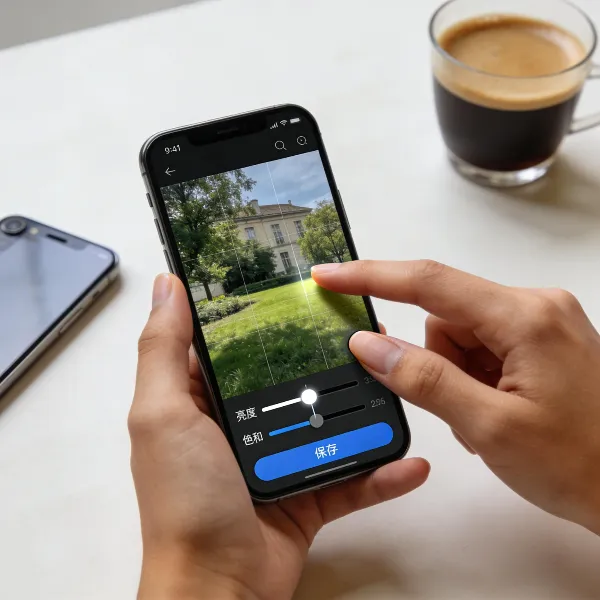
Need a quick and easy way to speed up a video on iPhone? The Photos app has got you covered. It's perfect for fast edits without the hassle of downloading any additional apps. Here’s how you can speed up a video using just the Photos app:
- Open Photos and find the video you want to speed up.
- Tap Edit in the top right corner.
- Tap the speed icon (a speedometer) on the toolbar.
- Use the slider to increase the speed—up to 2x.
- When you're finished, tap Done to save your changes.
This method is great for those times when you just want to make a quick speed adjustment without diving into detailed editing.
Using CapCut for Advanced Features and Customization
CapCut is a powerful video editing app that gives you a lot of customization options, making it perfect for those who want more flexibility when speeding up their videos. Unlike iMovie and Photos, CapCut lets you increase speed beyond 2x, and it offers more creative tools. Here's how to use it:
- Download and open CapCut from the App Store.
- Tap New Project and choose the video you want to speed up.
- Once your video is on the timeline, tap on the video itself to bring up editing options.
- Tap Speed, then select Normal.
- Use the slider to adjust the speed, ranging from 1x to 100x.
- Tap Export to save the video once you’re done.
CapCut also lets you add creative effects, adjust the pitch, and customize your video even further, making it ideal for advanced editing.
Using InShot for Easy Speed Changes and Social Media Videos
For social media enthusiasts who want to speed up their videos quickly, InShot is a fantastic app. It’s perfect for those who want to make videos for Instagram, TikTok, or other platforms in a flash. Here's how to use InShot:
- Download InShot from the App Store and open it.
- Tap Video to start a new project and choose the video you want to edit.
- Once your video is in the timeline, tap the Speed icon.
- Move the slider to adjust the speed—choose up to 2x.
- Tap the Checkmark when you're done, then hit Save to export your video.
InShot is incredibly user-friendly and great for creating social media-ready videos in no time.

Using Video Candy for Online Video Speed Adjustment (No App Required)
Not keen on downloading apps? No problem! Video Candy is an online tool that lets you speed up your videos right in your browser. It’s super easy to use and doesn’t require any downloads. Here’s how to speed up a video with Video Candy:
- Go to the Video Candy website on your iPhone's browser.
- Tap Upload Video to select the video you want to speed up.
- After uploading, use the speed slider to adjust the video speed. You can speed it up from 1x to 4x.
- When you’re happy with the speed, tap Download to save the video to your device.
This online option is a great solution for those who want to avoid the hassle of app downloads or need a quick edit on the go.
When to Use Each Method: Choosing the Right Tool
With so many tools available, it’s important to choose the right one based on your needs. Below, we’ve broken down the pros and cons of each method to help you decide which tool is best for you.
| Method | Best For | Pros | Cons |
| iMovie | Precision editing, high control | Free, precise speed adjustment | Limited to 2x speed |
| Photos App | Quick edits | Fast, no app download required | Limited speed options |
| CapCut | Advanced edits, customization | Multiple speed options, creative control | Requires downloading an app |
| InShot | Social media content, easy editing | Simple interface, social media-friendly | Limited free features |
| Video Candy | Quick online edits | No app needed, easy to use | Limited speed range, internet required |
Conclusion
Now that you know how to speed up a video on iPhone, you have a variety of tools to choose from. Whether you need quick edits, precise control, or advanced customization, there's an option for everyone.
Use iMovie for more detailed edits, the Photos app for quick changes, CapCut for more flexibility, InShot for social media, or Video Candy for an online solution. No matter which method you pick, speeding up your videos on iPhone is easier than ever!
For more tips on managing videos on your iPhone, check out this guide on how to download YouTube videos on iPhone.